
Using TheMEASURING TOOLS
Enter any existing US address in the address bar located at the top of your screen. The system will provide you with suggestions as you continue to type. Once the correct address appears, simply click that address. Upon a successful search, the map will zoom in to the property you entered.
Click on the corners of the building to start measuring. Connected points can be moved to better detail the outline of the roof. In some cases, you may need more room to work. The main "Marker" can be dragged out of the way to maximize your workspace.
Once you have completed your project, click the SAVE button to send the data to your account on the main website. You can proceed to manage, view and create reports from the main dashboard on the desktop website.
Once have completed your project, click the SAVE button to send the data to your account on the main website. You can proceed to manage, view and create reports from the main dashboard on the desktop website.
Once you complete an outline, that shape is placed on its own layer. You can create multiple layers for different sections of a roof if you choose. You can view individual details such as the total square footage and perimeter by clicking on the Layers Tab. To delete an entire layer, click on the button Delete Layer. Layers can also be "labeled" to help identify different sections of the roof.
Click the red "Marker" to extend the zoom to its maximum zoom point. Depending on the location of the address, some properties may allow for a further zoom level than others.
Using ThePITCH & HIP FACTORS
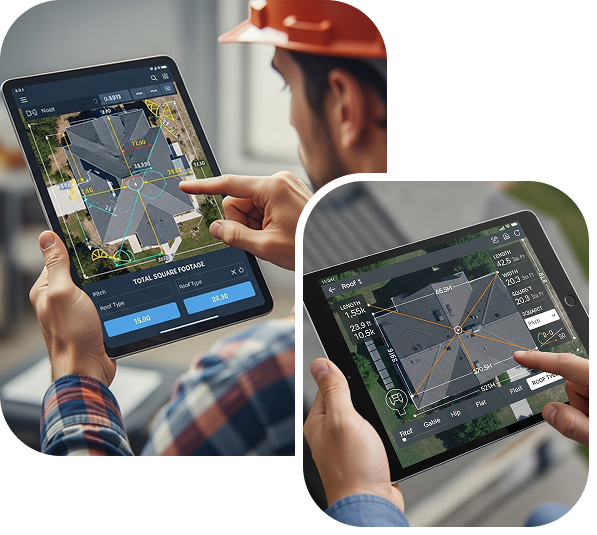
The Pitch & Hip Factors allow you to adjust the estimated square footage based on the complexity of the roof. These factors account for the additional materials needed for different roof pitches and hip/valley configurations.
Pitch Tool
One way to measure a roof is to outline each section of the roof. You will have a different section on each layer. To use the pitch tool, click on the layer and press "PITCH". Select the slope from the drop down menu and the adjusted square footage will be calculated automatically.
Hip & Valley
A faster and easier way to measure a roof is to outline the whole roof on one layer and use the Hip & Valley tool. This factor will take into consideration all roof slopes to provide you with estimated square footage.
NOTE: You can only use 1 slope tool per layer. Using both will result in a gross overestimate of footage.
Download NOW
Manage your roofing project anytime, anywhere. Get quotes, track progress, connect with experts — all in one easy-to-use app. Download now on iOS & Android.

